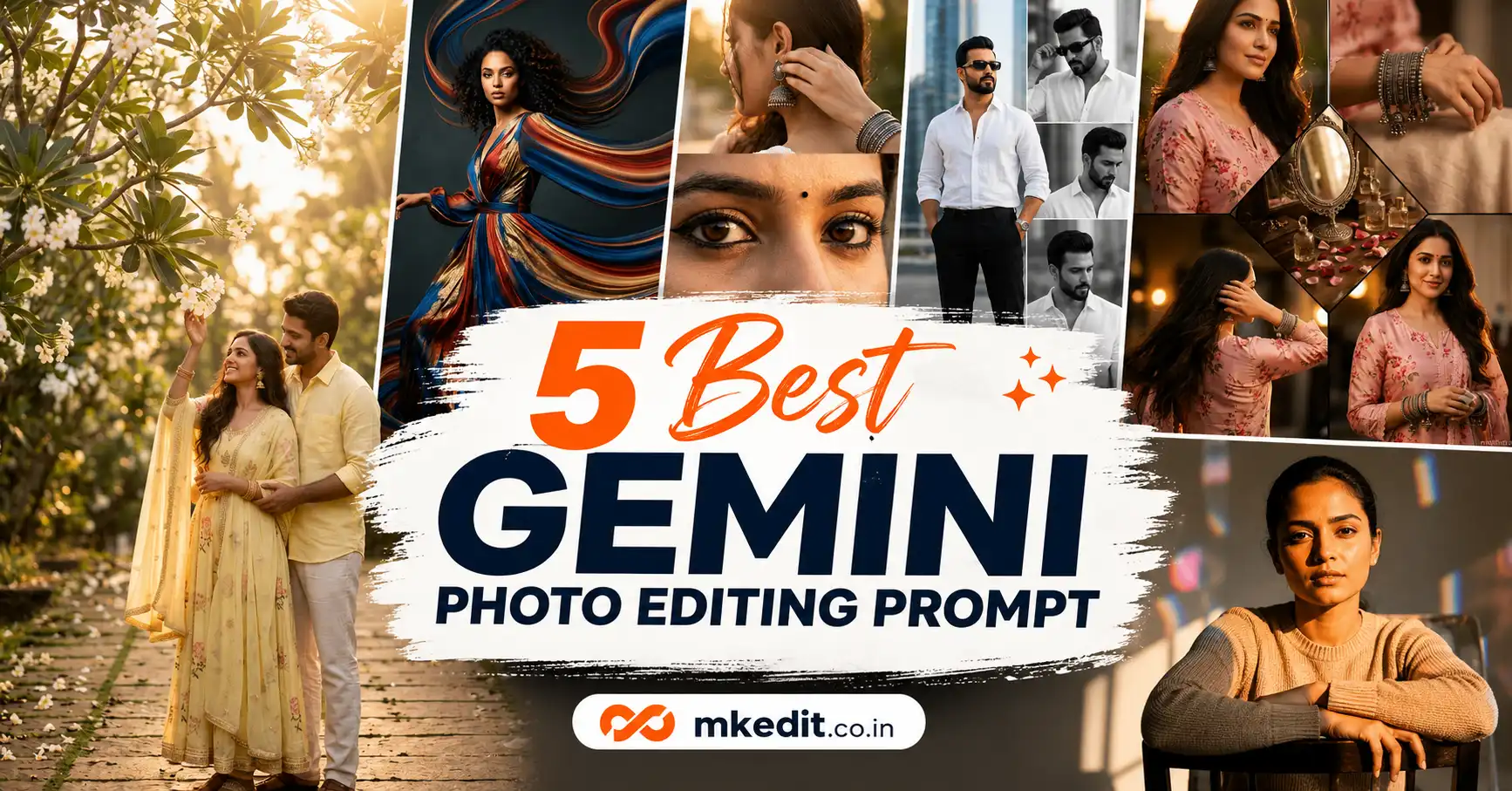
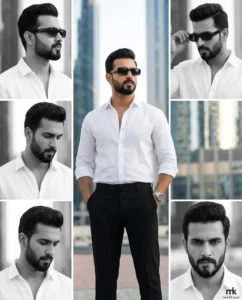
If you’re looking for the best Gemini photo editing prompt, you’re in the right place. Google’s latest Gemini image generation has become incredibly realistic, allowing anyone to create premium-quality AI photos without advanced editing skills.
Here’s the thing — most people get average results because they write short prompts. A detailed prompt gives Gemini clear instructions about lighting, camera angle, clothing, background, mood, facial identity, and composition, producing much more realistic images.
In this guide, you’ll find five carefully tested prompts that work beautifully with both Google Gemini and ChatGPT. Every prompt is designed to create professional DSLR-style images while preserving your original facial identity.
What is a Gemini Photo Editing Prompt?
A Gemini photo editing prompt is a detailed description that tells Google’s AI exactly how your edited image should appear. Instead of saying “make me look stylish,” you describe every important element like clothing, hairstyle, lighting, location, background, camera lens, expressions, and photography style.
The better your prompt, the better your AI-generated photo becomes. That’s why professional prompt writers always include detailed descriptions instead of one-line instructions.
Modern AI models can now preserve your exact face while completely changing outfits, environments, lighting, and photography style without losing realism.
Why are Gemini Photo Editing Prompts Trending?
AI-generated portraits have become extremely popular across Instagram, Facebook, YouTube Shorts, and WhatsApp Status. Instead of spending thousands on professional photography, creators are using Google Gemini to generate luxury-quality portraits in minutes.
Fashion edits, luxury travel photos, editorial magazine covers, cinematic portraits, and lifestyle photography are currently among the biggest AI editing trends worldwide.
Trust me, with a high-quality selfie and the right Gemini photo editing prompt, your final image can easily look like it was captured using an expensive DSLR camera.
7 Best Gemini Photo Editing Prompt — Copy Paste Ready for Gemini & ChatGPT
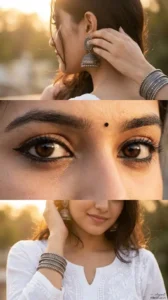
This prompt creates a premium 3-panel collage highlighting traditional oxidized silver jewelry with soft golden-hour close-ups and macro eye detailing.
Use the uploaded photo as the exact identity reference, keeping the face, eye shape, skin tone, hairstyle, and facial features 100% unchanged. Build a premium vertical 3-panel editorial collage. Top panel: a from-behind/side angle with the face mostly turned away, showing only a hint of cheek or jawline, focused on a large oxidized silver jhumka earring, a hand softly touching the ear, stacked oxidized silver bangles, faint kajal, loose hair strands, warm golden sunlight, and creamy bokeh. Middle panel (main focus): an ultra-realistic extreme macro of both eyes with bold kajal, subtle winged liner, long natural lashes, thick brows, deep glossy brown eyes, sharp catchlights, a tiny black bindi, and flawless skin texture. Bottom panel: the lower half of the face with a gentle smile, a white embroidered cotton kurta, a wrist near the face showing oxidized silver bangles, loose hair strands, and warm golden-hour light with soft bokeh. Style as photorealistic luxury fashion editorial, shot on Canon EOS R5, 85mm lens, f/1.8, HDR, ultra-detailed skin texture, realistic lighting, premium Instagram aesthetic, clean 3-panel layout, 8K ultra-sharp, and a tiny elegant mkedit.co.in signature text logo placed consistently in the bottom-right corner.
✅ Works on: Gemini & ChatGPT | 📱 Mobile Friendly | Ratio: 4:5
Prompt 2: Pixel Stretch Digital Art Effect
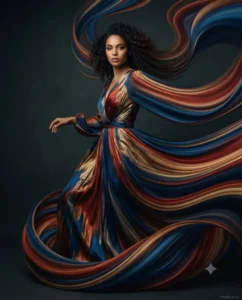
This prompt turns any photo into a flowing pixel-stretch digital artwork while keeping the subject sharp and fully recognizable — a viral Photoshop-style AI art trend.
Convert the uploaded photo into a pixel-stretch artwork while keeping the main subject perfectly sharp, detailed, and recognizable. Pull colors and textures from the subject and extend them into smooth, flowing pixel-stretch ribbons that follow elegant curves and dynamic motion. Blend the original image and the stretched areas seamlessly, with no glitches or harsh edges. Make the stretched pixels look silky, fluid, and organic, like streams of color, light, paint, or energy. Keep lighting, depth, shadows, and color harmony realistic. Apply cinematic contrast, vibrant colors, HDR quality, ultra-sharp detail, modern minimalist composition, luxury digital art styling, an Adobe Photoshop pixel-stretch effect, gallery-quality finishing, ultra-high-resolution 8K, and a tiny elegant mkedit.co.in signature text logo placed consistently in the bottom-right corner.
✅ Works on: Gemini & ChatGPT | 📱 Mobile Friendly | Ratio: 1:1
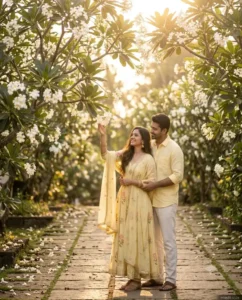
Prompt 3: Frangipani Garden Couple Portrait
This prompt creates a dreamy South Indian pre-wedding style couple portrait shot under blooming frangipani trees during golden hour.
Create a dreamy romantic South Indian couple portrait during golden hour beneath blooming white frangipani (plumeria) trees, with soft warm sunlight filtering through the flowers into a magical bokeh background. The woman wears a flowing pastel butter-yellow Anarkali suit with delicate embroidery and a matching sheer dupatta draped gracefully, long natural wavy black hair, elegant jhumka earrings, minimal makeup, and a radiant smile as she reaches toward the blossoms. The man stands close behind her, gently holding her waist, wearing a pastel butter-yellow linen shirt with rolled sleeves and cream trousers. Natural candid expressions, romantic chemistry, cinematic lighting, shallow depth of field, ultra-realistic skin texture, professional portrait photography, high detail, soft golden tones, dreamy atmosphere, luxury pre-wedding photoshoot style, 85mm lens, f/1.8, photorealistic 8K quality, and a tiny elegant mkedit.co.in signature text logo placed consistently in the bottom-right corner.
✅ Works on: Gemini & ChatGPT | 📱 Mobile Friendly | Ratio: 4:5
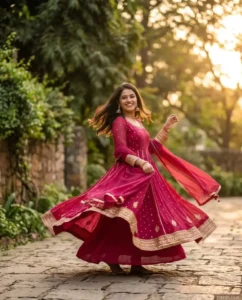
This prompt captures a joyful twirl in a dark pink embellished Anarkali suit with flowing fabric motion and cinematic golden-hour lighting.
Create an ultra-realistic photograph of a woman smiling, captured outdoors in warm golden-hour natural light, wearing a dark pink georgette Anarkali suit with delicate gold sequin embellishments and gold zari detailing on the cuffs. Show the fabric flowing in motion as she twirls, the flared Anarkali and matching sheer dupatta swirling, one hand holding part of the hem. She wears gold jhumka earrings, hair left loose and softly moving. Place her on a paved stone pathway beside a rustic blurred stone wall surrounded by lush green foliage. Use soft, cinematic golden-hour sunlight casting warm highlights on skin and outfit, shallow depth of field, cinematic photography aesthetic, ultra-detailed realism, soft dreamy atmosphere, DSLR quality, 85mm lens look, keep the face unchanged, and add a tiny elegant mkedit.co.in signature text logo placed consistently in the bottom-right corner.
✅ Works on: Gemini & ChatGPT | 📱 Mobile Friendly | Ratio: 4:5
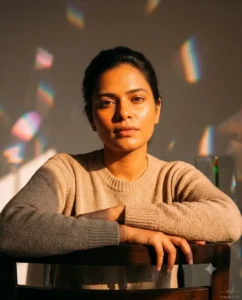
Prompt 5: Retro-Futuristic Sunlit Close-Up
This prompt creates a moody, nostalgic close-up portrait basking in harsh backlit sunshine with a retro-futuristic glass-filter aesthetic.
Use the uploaded selfie as the exact identity reference, keeping facial accuracy 100% unchanged. Pose and dress the subject for the scene without altering any facial features. The body faces away from the light source but is turned back toward the sun, so the front of the body is visible as if seated on a chair, with one hand resting on the chair back supporting the elbow, gazing toward the sun so orange sunlight bathes the face. Dress in a beige knitwear sweater with crisp, detailed skin texture and hair. Shoot as a close-up, side-facing, slightly angled composition. Let harsh sunlight create an interplay of light and shadow — yellow-orange highlights and brown-blue shadow tones — for an ethereal, dreamy, nostalgic feel, shot at 10x optical zoom equivalent on a 50–250mm prime lens with a mirrorless camera. Add slight prism-like reflections on the back wall from glass refraction, a subtle calm-yet-confident expression, and a light glass-filter effect with soft-edged light patches and grain for a hyper-realistic, retro-futuristic look, finished with a tiny elegant mkedit.co.in signature text logo placed consistently in the bottom-right corner.
✅ Works on: Gemini & ChatGPT | 📱 Mobile Friendly | Ratio: 4:5
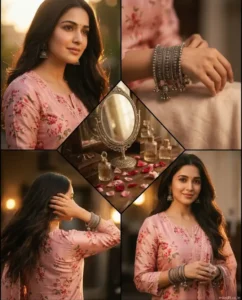
Prompt 6: Vintage Vanity Table 5-Panel Collage
This prompt creates a nostalgic 5-panel cinematic collage combining portraits, jewelry close-ups, and a vintage flat-lay vanity scene.
Use the exact face from the uploaded reference image to create an ultra-realistic, high-resolution cinematic 5-panel collage of a woman with long hair and a small bindi, wearing a soft pink floral-printed silk kurta with delicate lace trim, oxidized silver jhumka earrings, and stacked intricate bangles with hanging charms. Panel 1: a close-up 45-degree side-angle portrait with a soft expression. Panel 2: a detail shot of just the hands showcasing the stacked oxidized silver bangles, no face shown. Panel 3: a mid-shot back view, turning naturally with flowing hair, one hand tucking hair behind the ear. Panel 4 (diagonal panel): a flat-lay of a wooden vanity table with an ornate silver mirror, glass perfume bottles, and scattered rose petals. Style the whole collage with a warm, nostalgic, moody tone, vintage film grain, soft golden-hour lighting, a soft-focus background, rich textures, cinematic depth, and a tiny elegant mkedit.co.in signature text logo placed consistently in the bottom-right corner.
✅ Works on: Gemini & ChatGPT | 📱 Mobile Friendly | Ratio: 4:5
Prompt 7: Corporate Prince Magazine Cover Collage
This prompt creates a bold billionaire-style magazine cover portrait with a black-and-white 4-panel background collage — a viral “old-money” editorial trend.
Use the uploaded reference image as the exact identity of the person with a strict identity lock: preserve 100% facial structure, skin tone, hairstyle, beard, facial features, age, body proportions, and identity — do not alter the face shape, eyes, nose, lips, jawline, beard style, hairstyle, expression, or natural appearance. Dress the subject in a premium white linen shirt with the top three buttons open and sleeves rolled, tailored black luxury trousers, sleek black rectangular sunglasses, a luxury silver wristwatch, and an old-money fashion styling. Pose standing confidently with both hands in pockets, body slightly angled, chin slightly raised, head turned slightly sideways, a serious expression, and a calm, powerful presence looking beyond the camera. Build a luxury magazine-style collage: one large full-color main portrait centered, surrounded by four different black-and-white portraits in the background — top left: side profile looking into the distance; top right: adjusting sunglasses confidently; bottom left: looking downward thoughtfully; bottom right: direct powerful eye contact. Set against modern skyscraper reflections and softly blurred luxury architecture in a clean, high-end fashion campaign layout. Use bright luxury daylight, soft commercial beauty lighting, clean silver highlights, and subtle rim light around the hair and shoulders, with crisp contrast and an expensive editorial atmosphere. Shoot as a medium-full portrait, 85mm lens, f/1.8, shallow depth of field, ultra-sharp focus on the face, professional DSLR photography, extreme facial detail, luxury framing, Forbes-cover styled corporate-prince aesthetic, high-end editorial photography, premium color grading, hyper-realistic, magazine-quality, 4K detail, a pure white, deep black, and silver monochrome-accented color palette, and a tiny elegant mkedit.co.in signature text logo placed consistently in the bottom-right corner.
✅ Works on: Gemini & ChatGPT | 📱 Mobile Friendly | Ratio: 9:16
How to Use These Gemini Photo Editing Prompts — Step by Step
Open Google Gemini or ChatGPT with AI image generation enabled.
Upload a clear, high-resolution reference photo where your face is fully visible.
Copy any prompt from this article and paste it into the AI chat.
Generate the image and regenerate if you want different lighting or composition.
Download your favorite result and share it on Instagram, Facebook, WhatsApp Status, or YouTube Shorts.
Tips to Get the Best Results from These Prompts
Always use a bright, high-quality reference image for the best facial accuracy.
Include identity-preservation instructions so your face remains unchanged.
Use portrait aspect ratios like 9:16 or 4:5 for social media.
Add keywords like DSLR photography, 85mm lens, cinematic lighting, ultra realistic, and 8K quality to improve realism.
Keep the mkedit.co.in signature text logo small, elegant, and consistently placed in the bottom-right corner of every generated image.
Frequently Asked Questions About Gemini Photo Editing Prompt
1. What is a Gemini Photo Editing Prompt?
A Gemini Photo Editing Prompt is a detailed instruction that tells Google’s Gemini AI exactly how to edit or generate your image. The better your prompt, the more realistic and professional your final photo will look.
2. Can I use these prompts in ChatGPT as well?
Yes. All the prompts shared in this article work well with both Google Gemini and ChatGPT image generation models. You can simply upload your reference photo and paste the prompt.
3. Will Gemini keep my original face unchanged?
Yes, if you include identity preservation instructions like the ones used in these prompts. Uploading a clear, high-resolution reference photo also helps Gemini maintain your facial features more accurately.
4. Which aspect ratio is best for Instagram and WhatsApp?
For Instagram Posts, 4:5 works best. For Stories, Reels, and WhatsApp Status, choose 9:16. Both formats are widely supported and give professional-looking results.
5. How can I make AI photos look more realistic?
Add keywords such as Ultra Realistic, Photorealistic, 85mm DSLR Lens, Cinematic Lighting, Natural Skin Texture, Professional Photography, and 8K Quality. These details help Gemini create much more natural-looking images.
Final Words
If you’re looking for the latest Gemini Photo Editing Prompt collection, these five prompts are a great place to start. They are designed to create realistic, premium-quality AI portraits with minimal effort.
And yes, don’t be afraid to experiment. Change the outfit, background, lighting, or camera angle to create your own unique version. Even small adjustments can produce completely different results.
At MKEdit.co.in, we regularly publish new AI photo editing prompts for Google Gemini, ChatGPT, and other popular AI image generators. Whether you’re creating stylish profile pictures, cinematic edits, travel portraits, or viral Instagram posts, you’ll always find fresh prompt ideas here.
Save this page, bookmark MKEdit.co.in, and keep checking back for the latest trending AI photo editing prompts. Happy creating!
Hi, I’m Deepak Verma. I run MKEdit because I got a little obsessed with how good AI photo prompts can look when they’re written properly and paired with the right AI tools to generate high-quality images. Everything you see here, I’ve generated and tested myself first. If it’s on the site, it’s because it actually gave a good result — not just a random idea I typed once