
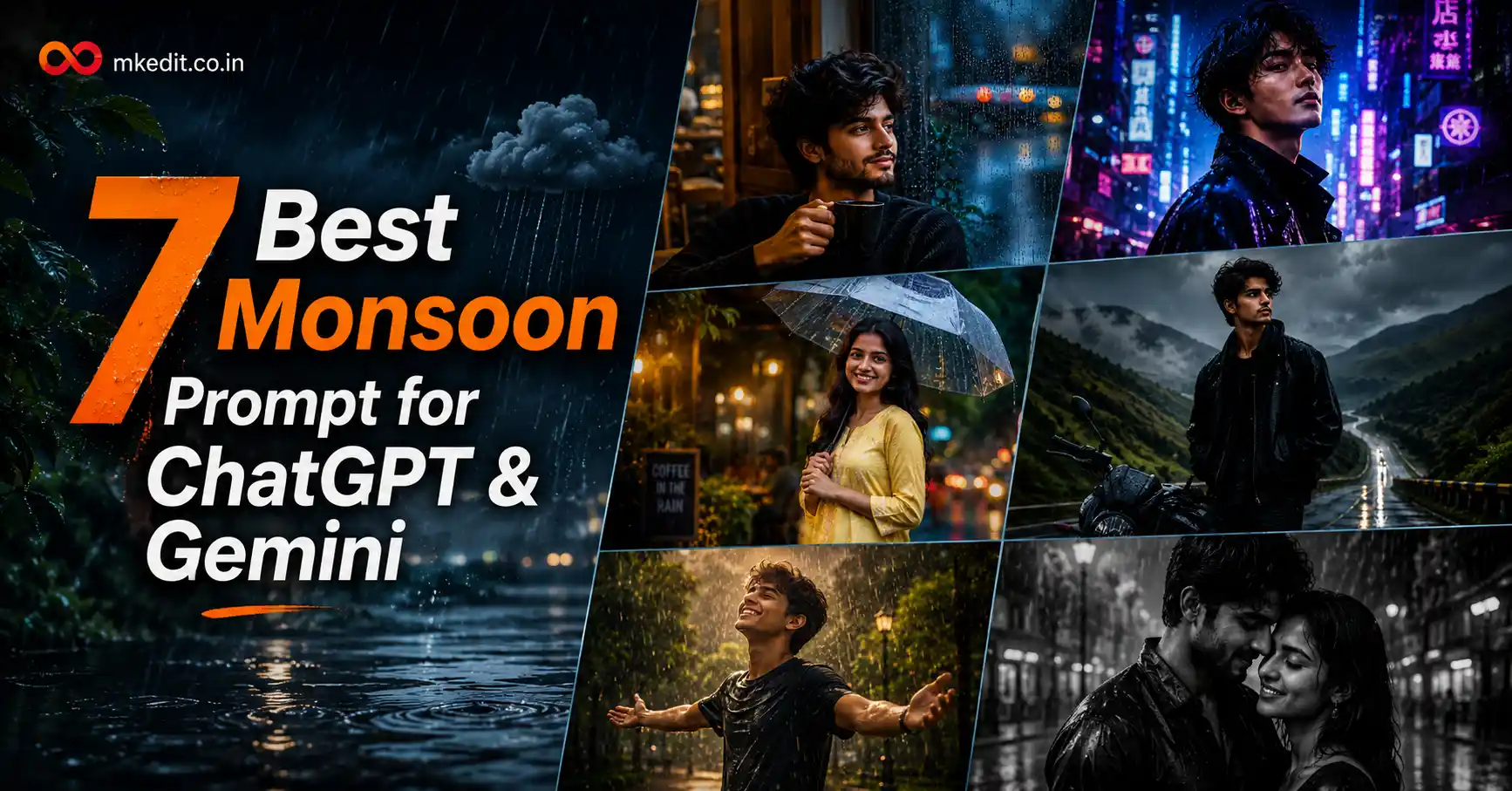
Rain has always been one of the most beautiful photography themes. And now, with AI image editing, you can create stunning monsoon portraits without waiting for rainy weather or hiring a professional photographer.
Here’s the thing — most AI-generated rain photos look fake because the prompts don’t include enough photography details. In this guide, you’ll get seven carefully tested Monsoon Prompt ideas that produce realistic rain effects, natural lighting, premium color grading, and ultra-HD results.
What is Monsoon Prompt?
A Monsoon Prompt is a detailed instruction for AI image generators like Gemini and ChatGPT that tells the model how to create realistic rainy season photographs. Instead of simply asking for “rain,” these prompts describe lighting, camera settings, atmosphere, clothing, reflections, background, and cinematic mood.
The better your prompt, the better your final image. Professional prompts include DSLR camera settings, HDR lighting, realistic raindrops, wet clothing textures, shallow depth of field, and natural facial preservation.
If you upload a clear reference image, AI can preserve your facial identity while transforming the entire scene into a premium rainy-season photoshoot.
Why is Monsoon Prompt Trending?
 5 Best Argentina Photo Prompt 2026
Monsoon-themed portraits have become extremely popular across Instagram, Facebook, Pinterest, and WhatsApp. People love dramatic rain photography because it creates emotional, cinematic, and visually stunning images.
And yes, AI has made it possible for anyone to create these premium rainy portraits in seconds. You don’t need expensive cameras or to wait for perfect weather anymore.
Today’s AI models can generate realistic rain, water reflections, atmospheric fog, DSLR lighting, and ultra-detailed skin textures that look almost impossible to distinguish from real photography.
7 Best Monsoon Prompt — Copy Paste Ready for Gemini & ChatGPT
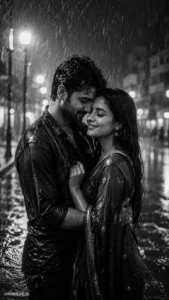
Prompt 1: Cinematic Black & White Rain Couple
This prompt creates an emotional monochrome rain portrait with beautiful cinematic lighting. It is perfect for couples who want a timeless romantic photograph.
 5 Best Baby Krishna With Mother Yashoda Prompts
✅ Works on: Gemini & ChatGPT | 📱 Mobile friendly
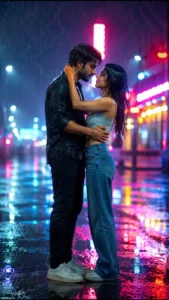
Prompt 2: Romantic Neon Rain Couple Portrait
If you love movie-style romance, this prompt creates a premium cinematic couple portrait under colorful neon lights during heavy rainfall.
✅ Works on: Gemini & ChatGPT | 📱 Mobile friendly
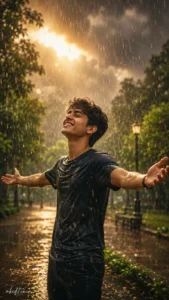
Prompt 3: Joyful Rain Dance Portrait
This prompt creates a beautiful cinematic portrait where the subject enjoys the first monsoon shower. It produces natural expressions, realistic rain effects, and premium DSLR-quality lighting.
 Guru Purnima AI Photo Editing Prompt 2026
✅ Works on: Gemini & ChatGPT | 📱 Mobile friendly
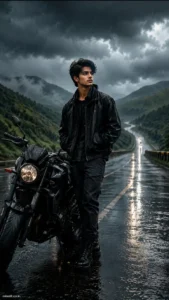
Prompt 4: Cinematic Monsoon Highway Portrait
This movie-style prompt creates a dramatic highway photoshoot with rain, premium motorcycle styling, cinematic clouds, and DSLR-quality realism.
✅ Works on: Gemini & ChatGPT | 📱 Mobile friendly
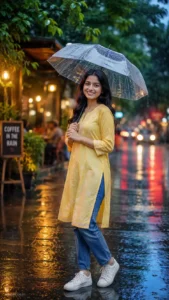
Prompt 5: Happy Indian Girl with Umbrella
This is one of the most viral monsoon portrait styles. It creates a cheerful Indian rainy-day photo with premium lighting, vibrant colors, and a luxury fashion look.
✅ Works on: Gemini &ChatGPT | 📱 Mobile friendly
Prompt 6: Rain Window Coffee Mood Portrait
This prompt creates a cozy monsoon café portrait with soft rain outside the window. It gives your image a calm, aesthetic, and premium lifestyle photography feel.
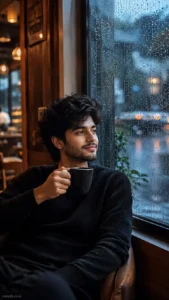
✅ Works on: Gemini & ChatGPT | 📱 Mobile friendly
Prompt 7: Rainy Night Neon Street Portrait
This prompt creates a luxury cyber-style rainy portrait inspired by premium fashion editorials. It is perfect for Instagram profile pictures and cinematic social media posts.
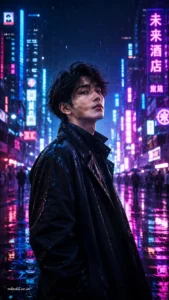
✅ Works on: Gemini & ChatGPT | 📱 Mobile friendly
How to Use These Monsoon Prompt — Step by Step
- Open Google Gemini or ChatGPT with image generation support.
- Upload a clear, high-resolution reference photo.
- Copy any Monsoon Prompt from this article.
- Paste it into the AI chat and generate the image.
- If needed, customize the outfit, background, or lighting while keeping the identity-preservation instructions unchanged.
Tips to Get the Best Results from These Prompts
- Always use a high-quality reference image with good lighting for accurate face preservation.
- Keep the identity lock instructions in the prompt to prevent unwanted facial changes.
- For Instagram Reels and Stories, use a 9:16 aspect ratio. For feed posts, 4:5 works best.
- Include DSLR camera details like Canon EOS R5, Nikon Z9, or 85mm portrait lens for maximum realism.
- Don’t remove details like HDR lighting, realistic rain reflections, cinematic fog, or professional color grading—they make the final image look much more realistic.
Frequently Asked Questions About Monsoon Prompt
Can I use these Monsoon Prompts in Google Gemini?
Yes. Every prompt in this article is optimized for Google Gemini and also works well with ChatGPT image generation models that support detailed prompts.
Will AI keep my face unchanged?
Yes. As long as you upload a clear reference photo and keep the identity preservation instructions, Gemini AI can maintain your original facial features with impressive accuracy.
Which aspect ratio is best for rainy portraits?
A 9:16 vertical composition is ideal for Instagram Reels, Stories, and WhatsApp Status, while 4:5 works best for Instagram feed posts.
Can I change the outfit or location?
Absolutely. You can modify clothing, umbrellas, bikes, parks, cafés, highways, or city streets while preserving your original face and identity.
Why do detailed prompts produce better images?
Detailed prompts guide the AI more accurately by specifying lighting, camera settings, weather, mood, composition, and realistic textures. This results in significantly more professional and photorealistic images.
Final Words
If you’re looking for the most realistic Monsoon Prompt, these seven prompts are an excellent starting point. They combine cinematic lighting, realistic rain effects, DSLR-quality photography, and premium editorial styling while preserving your natural facial identity.
Trust me, the secret to stunning AI images isn’t just the model—it’s the prompt. The more specific your instructions, the more realistic your results will be. Feel free to customize these prompts with your favorite outfits, backgrounds, or rainy-day scenes.
We regularly publish the latest AI photo editing prompts on MKEdit.co.in. Bookmark this page, try all seven prompts, and come back for more trending ChatGPT and Gemini AI editing ideas.

Hi, I’m Deepak Verma. I run MKEdit because I got a little obsessed with how good AI photo prompts can look when they’re written properly and paired with the right AI tools to generate high-quality images. Everything you see here, I’ve generated and tested myself first. If it’s on the site, it’s because it actually gave a good result — not just a random idea I typed once