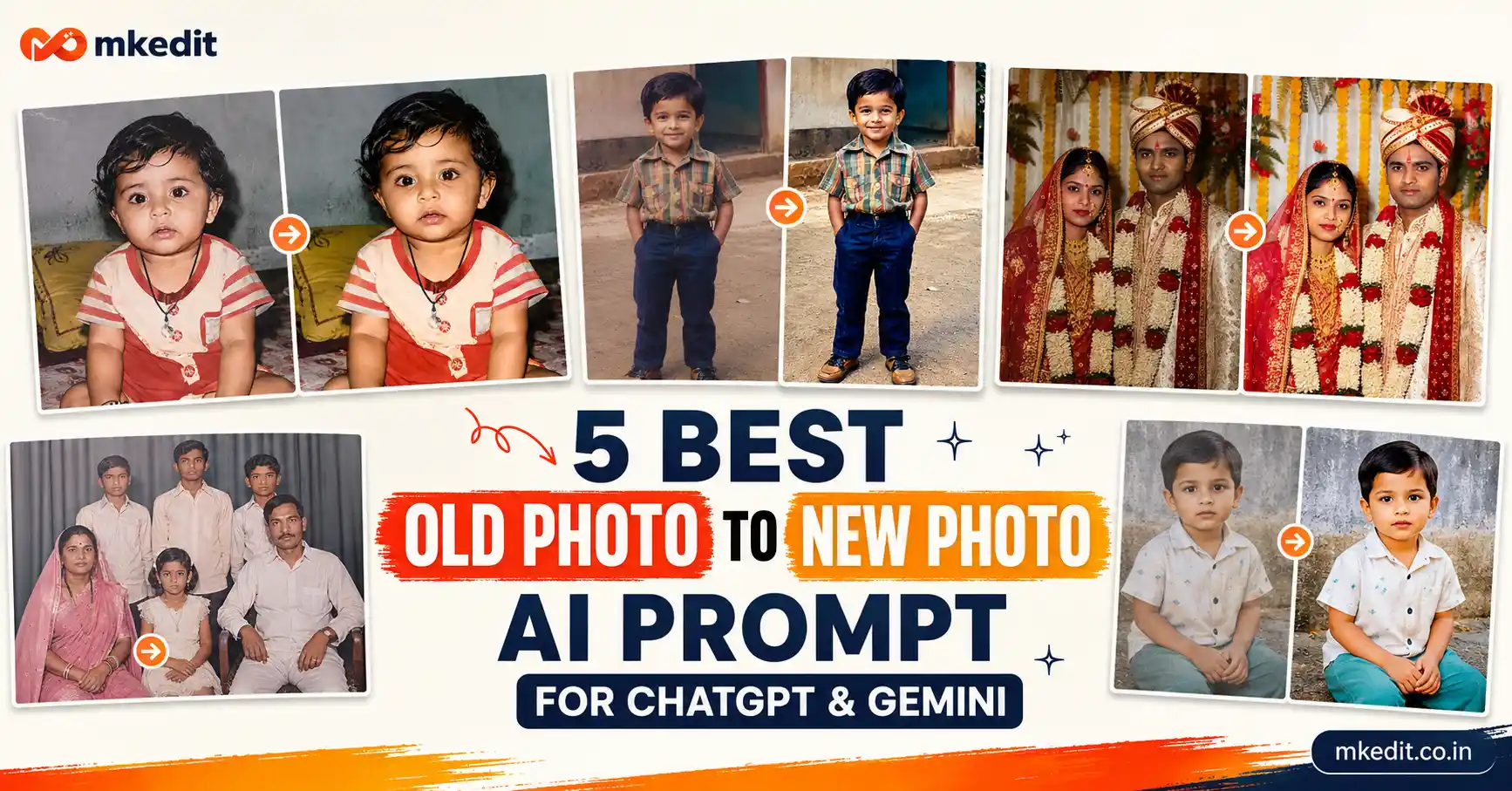
If you have old family memories stored in faded photographs, you’re not alone. Many people now use an old photo to new photo ai prompt to bring decades-old pictures back to life without learning Photoshop or expensive editing software.
Here’s the thing — today’s AI models are incredibly good at restoring old photos. With the right prompt, they can improve facial details, repair scratches, colorize black-and-white images, increase resolution, and make an old picture look like it was taken with a modern DSLR camera.
What is an Old Photo to New Photo AI Prompt?
An old photo to new photo ai prompt is a detailed instruction that tells ChatGPT or Google Gemini exactly how to restore an old photograph. Instead of changing the people or creating a new image, these prompts focus on preserving the original identity while improving image quality.
The AI carefully enhances facial features, removes blur, restores damaged areas, sharpens textures, improves lighting, and even adds natural colors to black-and-white photographs. The goal is to recreate the same memory—not replace it.
Whether it’s your grandparents’ wedding photo, childhood memories, passport photos, school pictures, or vintage family albums, these prompts help create beautiful high-resolution restorations in just a few minutes.
Why is Old Photo to New Photo AI Prompt Trending?
AI photo restoration has become one of the biggest image-editing trends this year. Google Gemini and ChatGPT now understand long restoration prompts much better, producing highly realistic results while keeping faces and emotions intact.
Trust me, people love seeing old memories restored with realistic skin tones, clean textures, and DSLR-quality sharpness. Instead of looking artificial, today’s AI-generated restorations feel authentic and natural.
And yes, many creators, photographers, and families now use these prompts to preserve historical photos, restore damaged albums, improve social media posts, or simply surprise loved ones with beautifully revived memories.
5 Best Old Photo to New Photo AI Prompt — Copy Paste Ready for Gemini & ChatGPT
Prompt 1: Ultra HD 8K Photo Enhancement
This prompt upgrades any uploaded image into a crystal-clear, cinematic 8K masterpiece while keeping every facial feature, pose, clothing detail, and composition exactly the same. Perfect for blurry, low-quality, or compressed photos.
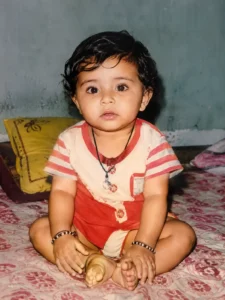
Upgrade the uploaded photograph into an ultra-realistic 8K cinematic remastered version while preserving the subject with complete accuracy. Keep the identity, facial structure, expression, hairstyle, body posture, clothing, accessories, environment, framing, and composition exactly unchanged. Do not add, remove, or replace any visual element. Enhance authentic skin texture, natural pores, individual hair strands, lifelike eyes, refined facial contours, clean edges, balanced HDR lighting, realistic shadows, premium dynamic range, and professional cinematic clarity. Produce a true production-quality restoration with poster-level sharpness, natural color accuracy, and photorealistic DSLR-quality detail while maintaining strict source integrity. Add a very small elegant “mkedit.co.in” signature in the bottom-left corner.
✅ Works on: Gemini & ChatGPT | 📱 Mobile Friendly
Prompt 2: Black & White Photo Color Restoration
This prompt transforms old monochrome photographs into realistic color images while preserving every facial feature, emotion, and historical detail. Ideal for restoring vintage family albums and childhood memories.
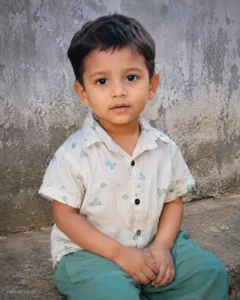
Restore and colorize the uploaded black-and-white photograph while preserving every original detail with complete fidelity. Keep the subject’s facial features, identity, skin texture, expression, hairstyle, clothing, posture, and overall composition exactly the same. Apply historically accurate and naturally balanced colors to skin tones, clothing, backgrounds, and surrounding objects while maintaining original lighting direction, realistic shadows, and authentic textures. Improve image clarity with refined facial details, sharper hair strands, enhanced depth, professional cinematic color grading, realistic DSLR-quality sharpness, and ultra-high-definition 8K restoration. The final image should feel like a genuine modern photograph without any artificial styling. Add a very small elegant “mkedit.co.in” signature in the bottom-left corner.
✅ Works on: Gemini & ChatGPT | 📱 Mobile Friendly
Prompt 3: Damaged Family Photo Restoration
This prompt is perfect for repairing old family photographs that have scratches, cracks, faded colors, dust marks, or torn edges. It restores every memory while keeping every family member exactly the same.
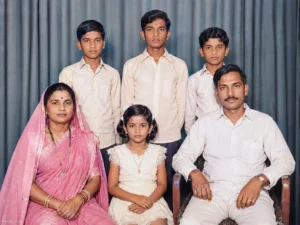
Use the uploaded old family photograph as the exact source image and preserve every person’s facial identity, expression, body posture, hairstyle, clothing, accessories, and overall composition with absolute accuracy. Repair torn edges, scratches, stains, faded areas, dust particles, creases, and missing textures without changing any original detail. Restore natural skin tones, realistic hair texture, clean facial features, refined eyes, balanced HDR lighting, authentic colors, subtle cinematic contrast, DSLR-quality sharpness, premium Lightroom-style color grading, photorealistic 8K Ultra HD restoration, while maintaining the original emotional atmosphere. Add a very small elegant “mkedit.co.in” signature in the bottom-left corner.
✅ Works on: Gemini & ChatGPT | 📱 Mobile Friendly
Prompt 4: Vintage Wedding Photo Restoration
This prompt transforms decades-old wedding photographs into beautiful modern-quality portraits while preserving every facial feature, traditional outfit, jewelry, and emotional expression.
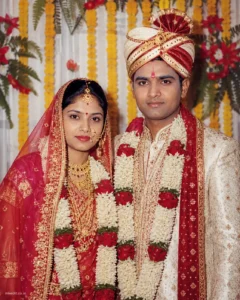
Use the uploaded vintage wedding photograph as the exact reference and preserve both subjects with complete facial accuracy. Maintain the same facial structure, expressions, traditional clothing, jewelry, hairstyle, pose, body proportions, and composition exactly as captured in the original photograph. Restore faded colors, repair damaged areas, remove scratches and dust, improve sharpness, enhance realistic skin texture, natural lighting, premium cinematic color grading, refined fabric textures, balanced shadows, authentic gold jewelry tones, DSLR-quality realism, and ultra-detailed 8K resolution while preserving the historical authenticity of the image. Add a very small elegant “mkedit.co.in” signature in the bottom-left corner.
✅ Works on: Gemini & ChatGPT | 📱 Mobile Friendly
Prompt 5: Childhood Memory Photo Enhancement
This prompt restores faded childhood photographs by improving quality, removing age-related damage, and recreating natural colors while keeping every memory untouched.
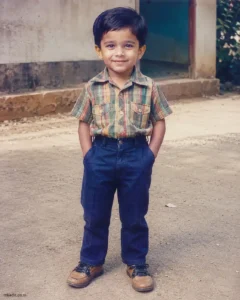
Use the uploaded childhood photograph as the exact reference image and preserve the person’s facial identity, expression, hairstyle, body posture, clothing, and background exactly as captured. Remove fading, yellow discoloration, scratches, blur, film grain, stains, dust, and compression artifacts while restoring realistic skin tones, bright expressive eyes, authentic hair texture, refined clothing details, balanced HDR lighting, premium cinematic color grading, natural contrast, smooth tonal transitions, DSLR-quality sharpness, photorealistic textures, and true 8K Ultra HD clarity. Keep the original memory completely intact without changing any visual element. Add a very small elegant “mkedit.co.in” signature in the bottom-left corner.
✅ Works on: Gemini & ChatGPT | 📱 Mobile Friendly
How to Use These Old Photo to New Photo AI Prompt — Step by Step
- Open ChatGPT or Google Gemini with image generation or image editing enabled.
- Upload your old photograph. For the best restoration, use the highest-quality version you have, even if it’s faded or damaged.
- Copy any Old Photo to New Photo AI Prompt from this article and paste it into the chat along with your uploaded image.
- Generate the image. If you want even better facial details or sharper restoration, regenerate once or twice using the same prompt.
- Download the restored 8K image and keep it safely for printing, family albums, digital archiving, or sharing with your loved ones.
Tips to Get the Best Results from These Prompts
- Always upload the highest-resolution version of your old photograph. Even damaged images usually produce much better restorations when the original quality is higher.
- Don’t remove the identity-preservation instructions. They help ChatGPT and Gemini keep every facial feature, hairstyle, expression, clothing, and pose exactly the same.
- If your photo has severe scratches or torn sections, generate the image multiple times. One version often restores missing details better than another.
- For old black-and-white photographs, use the dedicated color restoration prompt instead of a normal enhancement prompt to achieve realistic skin tones and historically accurate colors.
- Keep the “mkedit.co.in” signature very small and elegant so the restored photograph maintains a clean, professional appearance.
- Store both the original photograph and the restored version. This lets you preserve the original memory while enjoying a modern, high-quality restoration.
Frequently Asked Questions About Old Photo to New Photo AI Prompt
Can ChatGPT restore old photos?
Yes. ChatGPT can restore old photographs when image editing features are available. With a detailed Old Photo to New Photo AI Prompt, it can improve sharpness, repair damage, restore colors, and preserve the original identity.
Does Google Gemini work for old photo restoration?
Absolutely. Google Gemini understands detailed restoration prompts very well and can enhance old photographs by increasing clarity, repairing imperfections, and creating natural-looking results while preserving the original image.
Can AI colorize black-and-white photos naturally?
Yes. Using a dedicated color restoration prompt allows AI to add realistic skin tones, clothing colors, and environmental details while maintaining the original lighting and historical appearance of the photograph.
Will AI change the faces in my old photos?
No, if you use prompts that include strict identity preservation. The prompts in this article specifically instruct ChatGPT and Gemini to keep facial structure, expressions, hairstyles, and body proportions exactly the same.
Which old photos can be restored using these prompts?
You can restore vintage family portraits, childhood photographs, wedding pictures, passport photos, school memories, historical photographs, faded prints, damaged albums, and even scratched black-and-white images.
Final Words
If you want to preserve priceless memories without spending hours learning professional editing software, these Old Photo to New Photo AI Prompt templates are one of the easiest solutions available today. They help ChatGPT and Google Gemini restore faded, damaged, blurry, and black-and-white photographs into stunning 8K-quality images while protecting every important detail.
Trust me, the quality of your original photo still matters, but the right prompt makes an even bigger difference. Upload your image, copy one of the prompts above, and let AI recreate your memories with realistic textures, natural colors, and professional cinematic clarity.
At MKEdit.co.in, we regularly publish the latest ChatGPT prompts, Google Gemini AI prompts, AI photo restoration guides, cinematic editing prompts, and trending AI photography tutorials. Bookmark our website and keep visiting for fresh copy-and-paste prompts that help you create professional-quality AI images in just a few clicks.

Hi, I’m Deepak Verma. I run MKEdit because I got a little obsessed with how good AI photo prompts can look when they’re written properly and paired with the right AI tools to generate high-quality images. Everything you see here, I’ve generated and tested myself first. If it’s on the site, it’s because it actually gave a good result — not just a random idea I typed once